
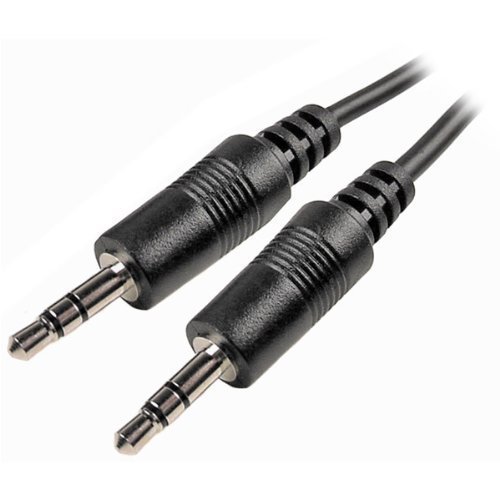

MAG ONE CLONING CABLE – Now made in the USA
How To Clone a BPR40 Radio
Cloning duplicates the contents of your radio (master radio) into the new radio (slave radio). Tuning and alignment information are not affected by cloning.
Set Up the Master Radio
1. Turn off the radio.
2. Press and hold Programmable Button 1 (the top programmable button) and turn on the radio. Keep pressing the Programmable Button 1 until beep is heard twice.
3. Release Programmable Button 1. Notice the LED changes to RED
Set Up the Slave Radio
1. Turn off the radio.
2. Press and hold Programmable Button 1(the top programmable button) and turn on the radio. Keep pressing Programmable Button 1 until the beep is heard three times.
3. Release Programmable Button 1. Notice that the LED changes to GREEN
BPR40 Radio to Radio Cloning Procedures
1. Connect the cloning cable to both the Master and Slave radio.
2. Press and release Programmable Button 1 of the Slave radio.
3. Within 2 seconds Press and release Programmable Button 1 of the Master radio.
4. The LED for both radios show flashing orange during cloning.
5. Once cloning is completed, an ‘Out Chirp’ alert tone can be heard from both radios.
6. Disconnect radios from the cloning cable. They are now ready for operation.
An error may occur when cloning a radio. When this happens, the radio sounds a Faulty Condition Alert tone and shows a Flashing Orange LED momentarily.
NOTE The LED will illuminate in RED and the radio will keep transmitting if the cloning cable is still connected to the radio after cloning is completed. Please disconnect the cloning cable from the radio.



Reviews
There are no reviews yet.